

PO Manager
A Windows desktop app for suppliers and distributors to manage purchase orders from order to payment — invoices, receivables, cost of goods, and margin reports. Works fully offline; your data stays on your computer.
Install and try every feature free for 14 days. To keep using it after the trial, buy a license via WhatsApp — send us the Machine ID shown in the app and we will send your serial key.
Windows 10/11 (64-bit). If Windows SmartScreen appears on first install, click "More info" → "Run anyway".
Screenshots
About this app
PO Manager is a Windows desktop app for suppliers, distributors, and vendors (produce, groceries, food supplies, stationery, and more) that serve recurring orders from hotels, restaurants, caterers, and shops. Record purchase orders, print invoices, track receivables, and see your profit margins — all offline, with no server subscription.
PURCHASE ORDERS FROM ORDER TO PAYMENT
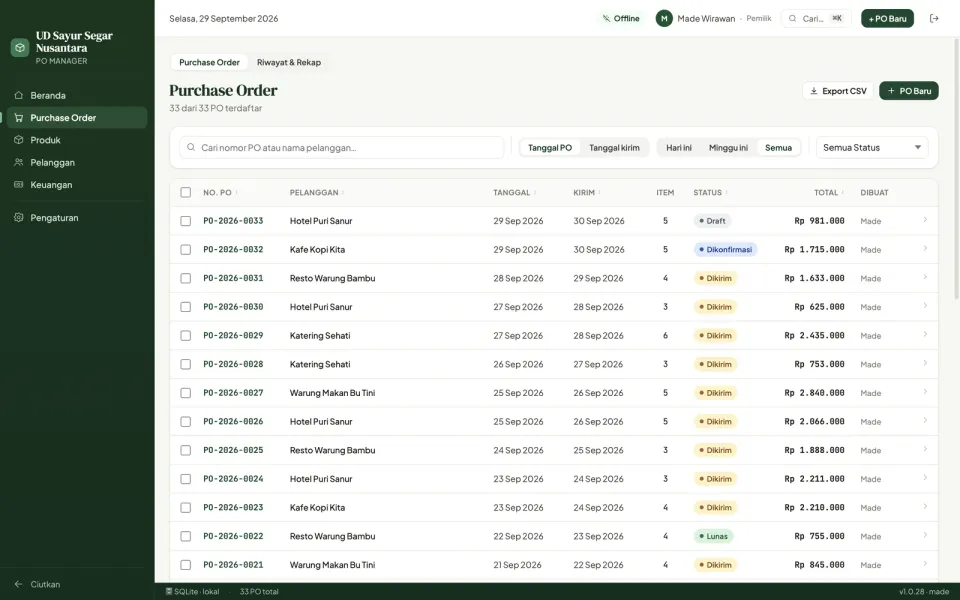
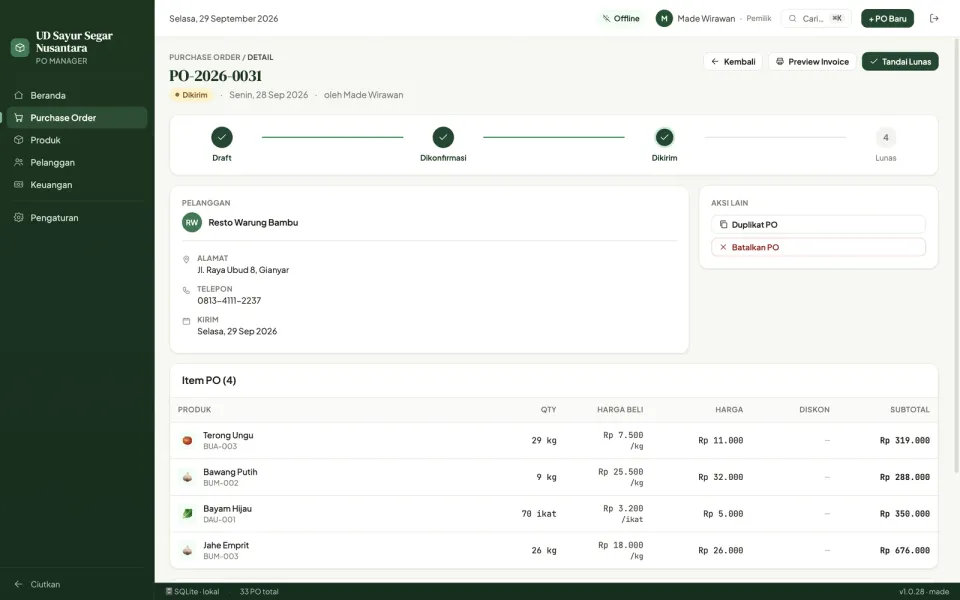
- Clear status flow: Draft → Confirmed → Shipped → Paid (or Cancelled)
- Quick filters: delivering today, delivering tomorrow, unpaid, overdue
- Update many orders at once (e.g. mark today's deliveries as shipped)
- Duplicate orders for repeat customers; drafts are saved automatically
INVOICES & RECEIVABLES
- Print invoices on A4, A5, F4, multi-part NCR forms (dot-matrix), or thermal receipts
- Invoice letterhead with your logo and bank accounts / QRIS
- Due dates per invoice and reminders for overdue receivables
- Collection letters per customer
PRICING & MARGINS
- Customer-specific prices, including monthly price contracts (Excel import/export)
- Record purchase costs (COGS) with change history
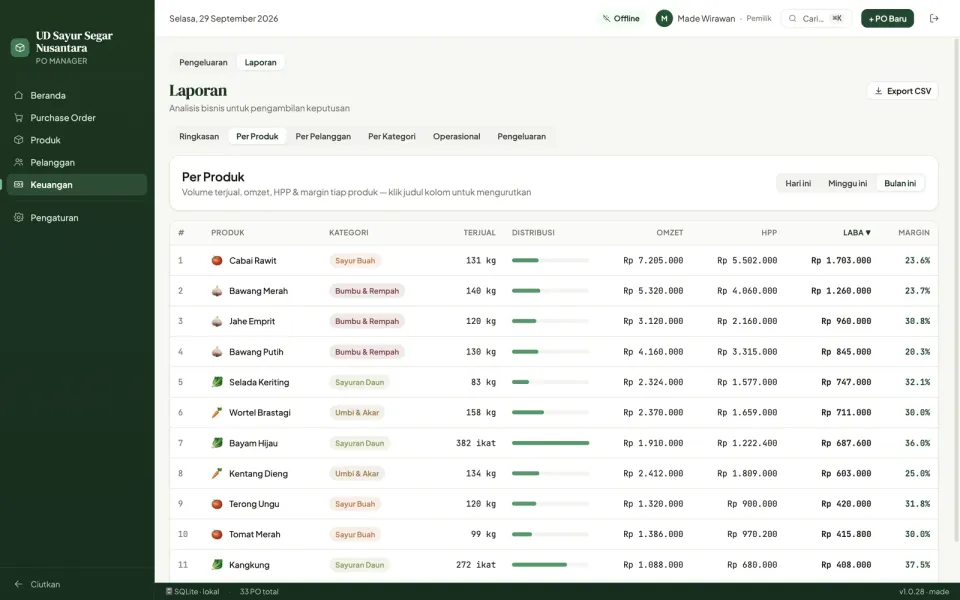
- Revenue, gross profit, net profit, and margin reports by product, customer, and category
- Low-margin warnings
FINANCE & OPERATIONS
- Record operating expenses by category
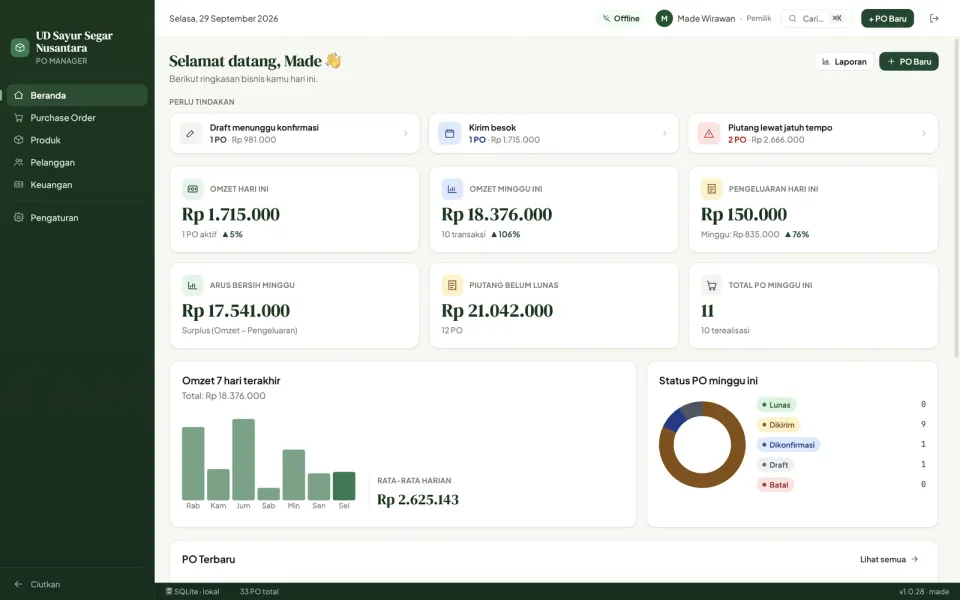
- Summary dashboard: today's and this week's revenue, receivables, and follow-ups
- CSV export for further analysis in Excel
MULTI-USER
- 3 roles: Owner, Admin, and Cashier with different permissions
- PIN login with a recorded activity log
SECURE & OFFLINE
- Data stays on your own computer, never sent to a server
- Automatic daily backups, restore any time
- Automatic app updates
LICENSING
- Free 14-day trial with every feature
- After the trial, your data can still be viewed, printed, and backed up
- Buy a lifetime license via MahasDev's WhatsApp
SYSTEM REQUIREMENTS
- Windows 10 or 11 (64-bit)