
The FinKel Assistant — Track Your Money in Plain Words
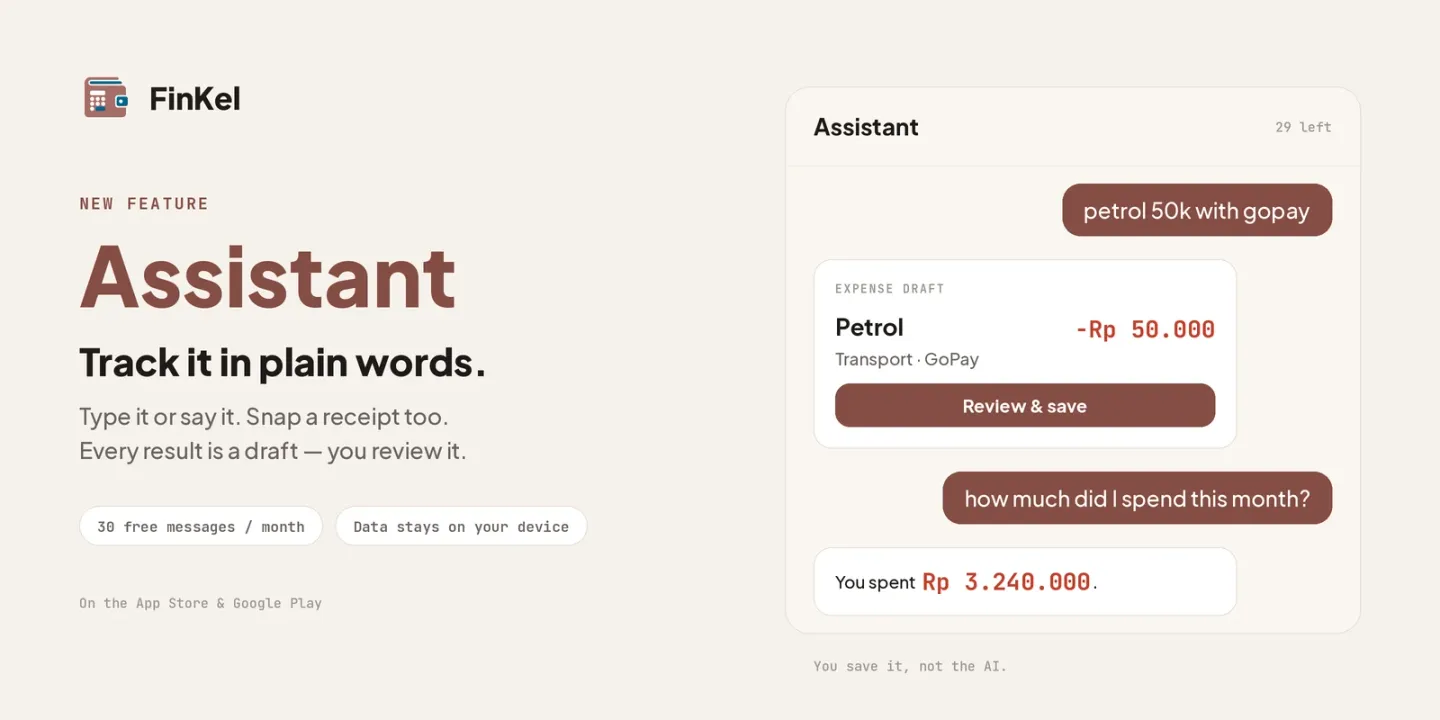
Recording an expense is easy — wanting to record it every single day is the hard part. Pick a category, pick a wallet, type the amount; seven taps for one coffee. That is why we built the Assistant, a new feature in FinKel that is available right now.
Open the Assistant and type it the way you would say it:
petrol 50k with gopay
The Assistant reads it and hands you a draft: an expense of Rp 50.000, category Transport, wallet GoPay. All you do is tap Review & save — or fix anything it got wrong first.
Not just expenses
The Assistant understands the things that normally take a few screens:
- Income & expenses — “salary in 7 million”, “lunch 35k”.
- Transfers between wallets — “withdraw 500k from BCA”.
- Debts & receivables — “lent Budi 200k”.
- Balance adjustments — “BCA balance is now 500k”, for when your notes and reality drift apart.
Ask about your own money
Beyond recording, you can ask: “how much did I spend this month?”, “how much is left in my food budget?”, “which bills are due this week?”. The answers are short and based on your own numbers — not generic advice from the internet.
Type it, say it, or snap it
- Voice — tap the microphone in the composer and talk. Speech becomes text on your device, and it does not use up your AI quota.
- Receipt photo (Starter and above) — the receipt text is read on your own device, not shipped anywhere. Pro users can have the AI tidy up that reading when a receipt comes out messy.
What gets sent — and what does not
This is the part we most want to be plain about.
- When you record, only your sentence is sent to the server (or the receipt text your device already read).
- When you ask, a summary of figures goes along: balances, budgets, goals, bills, total debt — no per-transaction detail, no merchant names, no contact names.
- Your chat history stays on your device, and you can delete it at any time.
- The Assistant never saves anything on its own. Everything it produces is a draft; you are the one who taps save.
Before your first message, FinKel shows you this explanation and asks for your consent. The Assistant is also not a licensed financial adviser — it reads your records, it does not recommend investment products.
Try it now
Update FinKel to the latest version, then open the Assistant from the Home screen:
If an answer misses the mark, tap Not quite right underneath it — that report reaches us directly and feeds the next round of fixes. Anything else on your mind? Contact us — we would love to hear from you!